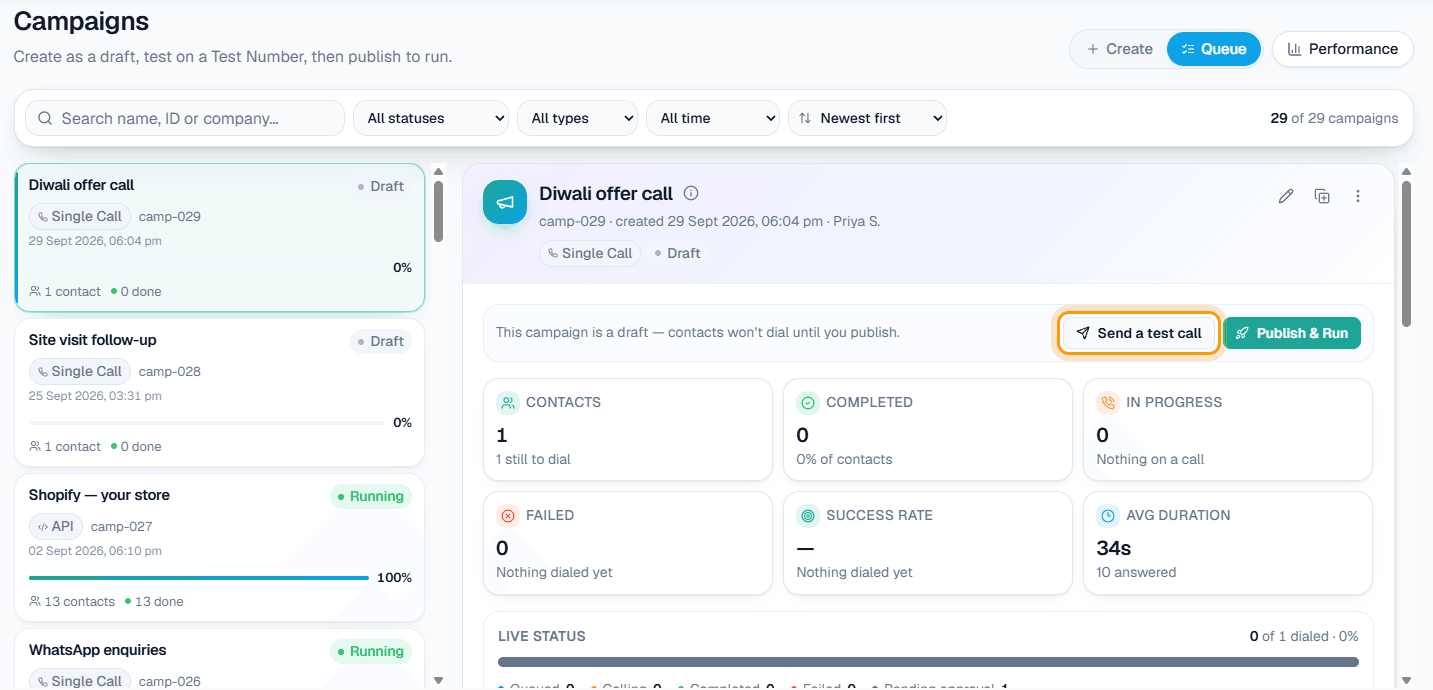
AI calling software in Ludhiana lets a manufacturer or trader ring a whole dealer list, answer incoming enquiries and keep follow-ups on time without adding staff to the phones. MySA Business does this with an AI voice assistant that calls from your own business number, speaks in the call language you pick (Punjabi, Hindi, Hinglish or English among them), and leaves you a recording and a short summary of every call.
Why calling is the bottleneck in Ludhiana trade
Ludhiana is widely known for hosiery and knitwear, for bicycles and cycle parts, and for a large base of small factories and trading firms. Much of it is sold through dealers and distributors, and most of it still moves on the phone.
The calls are rarely hard: "New winter range is ready, how many pieces?" The problem is volume and timing. When the season opens, every dealer needs a call in the same week, and the people who know the customers are also running the factory floor.
An AI voice assistant takes the repeatable part: dialling, asking, noting answers, and calling back when someone says "kal karna".
Ludhiana businesses that fit
Typical scenarios, not named customers.
- Hosiery and knitwear makers. Before a season, call retailers and wholesalers to announce the new range, ask about expected quantities and note who wants a sample set or a visit from your salesman.
- Bicycle and cycle-parts manufacturers. Ring distributors about a new model or revised price list, and note who wants a call from the sales head. A scheduled campaign can spread a long list over several days.
- Small manufacturers taking enquiries. Machine tools, fasteners, auto components: incoming calls from new buyers are answered 24/7 on your business number, and the AI collects the item, quantity and delivery city.
- Yarn, hardware and other traders. Where the rate moves daily, the AI can quote today's figure from your own system instead of last week's number.
Example: a season call to a hosiery dealer
A knitwear firm uploads its dealer list as an Excel file and starts a campaign. Its own API supplies the current rate for each item, fetched just before every call. Call language: Punjabi was chosen for this campaign; the dialogue is shown in English.
Example
AI: Sat Sri Akal, this is the assistant calling from Kartar Knits. Our winter range is ready. Do you have two minutes?
Dealer: Yes, tell me. What is the rate on the thermal sets this time?
AI: Today's rate for the men's thermal set is [the figure from your API] per set. Would you like to book a quantity now, or should our salesman visit your shop?
Dealer: Send the salesman. And call me on Thursday about quantity, I will be at the shop.
AI: Done. I will call you on Thursday. Thank you.
The firm name is invented. On a real call the AI reads out the actual figure your API returned. The summary and recording land in the call log, the dealer is tagged, and a follow-up call is scheduled for Thursday in Punjabi, because that was the language of the first call.
Live rates from your own system
With Custom APIs switched on for your workspace, the Owner adds an API under Integrations → My APIs. It can work in one of two ways, one at a time per workspace:
- Before each outbound call: the rate, stock or pending amount for that dealer is fetched and handed to the AI as facts.
- During the call: when the customer mentions something specific, such as an order number, the AI looks it up.
If the API fails, the call still goes ahead without that figure. See Custom APIs and the setup docs.
Where WhatsApp, Instagram and Facebook help
Dealers already send orders and photos on WhatsApp, so calls work best alongside chat:
- WhatsApp: the AI replies to dealer messages from your Business Details, and with intent-based calling it asks once whether your team may call when a chat shows real buying intent. Read WhatsApp automation in Ludhiana for the details.
- Facebook: Lead Ads for new dealership enquiries can start a webhook campaign call, usually within about a minute.
- Instagram: for knitwear brands selling to shoppers, DMs are answered and mobile numbers written in them are saved as leads.
What works today, and what it does not do
| Works today | Does not do |
|---|---|
| Calls a dealer list from CSV or Excel, or one number at a time | Send SMS campaigns or emails to dealers |
| Quotes a rate your own API returns | Guess a rate that is not in your API or Business Details |
| Schedules the follow-up the dealer asked for | Store turn-by-turn transcripts (you get a recording and a summary) |
| Transfers a dealer to your sales head on request | Call inside your DND hours (those calls are held, not lost) |
| Tags each call and lists Positive Leads | Agree a discount on its own |
Call dealers who expect to hear from you, and set DND hours that suit the trade.
How to judge AI calling software for dealer calling
Questions for any vendor; the full guide goes deeper.
- Can it read a rate or stock figure from your system right before it dials?
- When a dealer says "Thursday", does a call actually happen on Thursday?
- Can you upload the dealer list as it already exists in Excel?
- Does every call leave a recording and summary your team can check?
- Can a dealer be put through to a named person mid-call?
- Are very short or unanswered calls charged?
On MySA Business, calls of 10 seconds or less are free, and longer calls are billed per started minute from a prepaid wallet with no subscription.
Getting started
- Sign up and verify your mobile number. Your Test workspace gets ₹100 of Test credit and its own wallet.
- Choose the sales and consultation assistant, write its purpose in plain words, and fill in Business Details: product lines, minimum order, dispatch terms.
- Press Try now to have the AI ring your own phone. Pick Punjabi as the call language on a Test call, then Hindi or Hinglish, and decide by ear.
- Go Live, top up the wallet and upload the list. For pricing at your volume, contact sales.