
To choose AI calling software, test it on your own phone before you pay, and check ten things: the caller ID customers see, the languages you actually need, whether answers come only from your approved information, what you get after each call, DND handling, the pricing model, follow-ups, transfer to a human, a safe test environment, and how leads reach your team. A good demo proves little; a test call in your own language, about your own business, proves a lot.
This checklist is written for business owners comparing tools. It explains why each point matters and what to ask, and where it helps, how MySA Business handles it.
Before you compare: know the job
AI calling software does one of two jobs, often both: it places calls (calling new leads, reminding, re-engaging a list) and it answers calls (a receptionist that never misses the phone). Write down which calls you want handled, how many a day, in which languages, and what a "good" call ends with: a booked appointment, a qualified lead, a site visit. Every point below is easier to judge once that is clear.
How to choose AI calling software: the 10-point checklist
1. Caller ID customers recognise
Customers ignore unknown numbers. Ask whether calls go out from a number you own, and whether customers see that number. In MySA, calls are placed from your business's own number, bought in the app or assigned to you, so customers see a real caller ID. More on numbers and caller ID.
2. The languages your customers speak
A vendor's language count matters less than whether your language works for your customers. Ask which languages can be chosen per campaign and per inbound number, and whether the AI can follow a caller who switches language. MySA defaults to Hinglish, lets you choose the call language per campaign, test call and inbound number, and lists Hindi, English, Bengali, Marathi, Telugu, Tamil, Gujarati, Kannada, Malayalam, Punjabi, Odia, Urdu, Assamese and more. Do not take any vendor's word for quality, including ours: hear it.
3. Answers grounded in your information
The biggest risk with AI on the phone is a confident wrong answer: a price you do not charge, a policy you do not have. Ask where the AI's knowledge comes from and what it does when it does not know. MySA's assistants answer only from the Business Details you approved, and their behaviour is set by a plain-language purpose rather than a rigid script.
Also ask whether it can read live data from your own systems. A rate that changes daily or an order's status should come from your API, not from a note typed last week. With MySA's Custom APIs, your API can be fetched just before each call or by the AI in the middle of a call, when the customer mentions something it needs to look up.
4. What you get after every call
You should be able to check what happened without listening to every call. Ask what is stored. MySA keeps a recording, an AI summary, sentiment and tags for every call. It does not store turn-by-turn transcripts, so if a written transcript is a requirement for you, factor that in.
5. Respect for quiet hours
Calling at the wrong hour damages trust. Ask whether you can set hours when no calls go out, and what happens to calls that fall inside them. In MySA, calls are never placed inside your DND window; they are held, not lost. Separately, make sure you have the customer's permission to call.
6. A pricing model you can predict
Ask how you are billed: subscription, per minute, per call, or per outcome, and what happens with very short calls. MySA uses a prepaid wallet with no subscription; calls of 10 seconds or less are free and longer calls are billed per started minute. Your workspace's rate is shown in the console, and wallet & pricing explains the rest. For volume pricing, talk to sales.
7. Follow-ups that actually happen
"Call me after six" is where many leads are lost. Ask whether the software schedules that callback by itself. In MySA, a customer who asks to be called later gets a follow-up call at the time they asked, in the language of the original call.
8. A way to reach a human
Some callers need a person. Ask whether the AI can hand a live call to your team and how that is billed. MySA's call transfer rings a colleague, briefs them, and connects the customer when the caller asks for a person or a rule you wrote matches. Transfer minutes are billed separately at the rate shown in your workspace.
9. A safe place to test
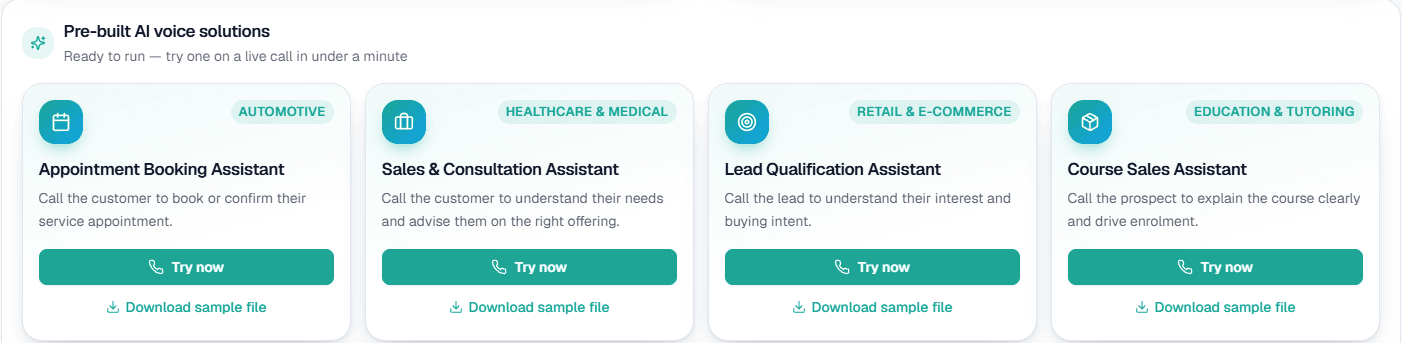
You should be able to try everything without calling a real customer. MySA gives every workspace a separate Test environment with its own wallet, ₹100 of Test credit once the owner verifies their mobile, and a Try now button that rings your own phone. See test calls.
10. Leads delivered where your team works
A good call is wasted if nobody sees it. Ask how qualified leads leave the system. In MySA, calls that did their job are listed as Positive Leads and can be delivered by email, Google Sheet, webhook or API through Lead Feed.
The checklist at a glance
| Question to ask | Why it matters | What to look for |
|---|---|---|
| Whose number do customers see? | Pick-up rates | Your own business number |
| Can I choose my language? | Customer comfort | Per-campaign and per-number choice, tested by you |
| Where do answers come from? | Wrong answers cost trust | Only your approved details |
| What is kept after a call? | Quality checks | Recording and summary at minimum |
| Are quiet hours respected? | Customer goodwill | Calls held, not dropped |
| How am I billed? | Predictable cost | Clear rate, short calls handled fairly |
| Are callbacks automatic? | Lost leads | Scheduled at the time the customer asked |
| Can a call reach a person? | Complex cases | Live transfer with a briefing |
| Can I test safely? | Risk before launch | Separate test environment |
| How do leads reach my team? | Speed to follow up | Sheet, email, webhook or API |
Red flags when evaluating
- No way to test without a sales call or an annual contract.
- "Sounds 100% human" claims, with no option to hear your own language first.
- Answers that drift beyond what you told the system.
- No clear answer on what happens inside quiet hours.
- Pricing that only appears after you have uploaded your list.
Running a fair trial
Pick the same three or four real scenarios for every tool you compare: a price question, a booking, a caller who switches language, a caller who wants a person. Run them as test calls to your own phone, note what each tool got right and wrong, and listen to the recordings with your team. Then run a small live batch and compare outcomes, not features.