

Calling
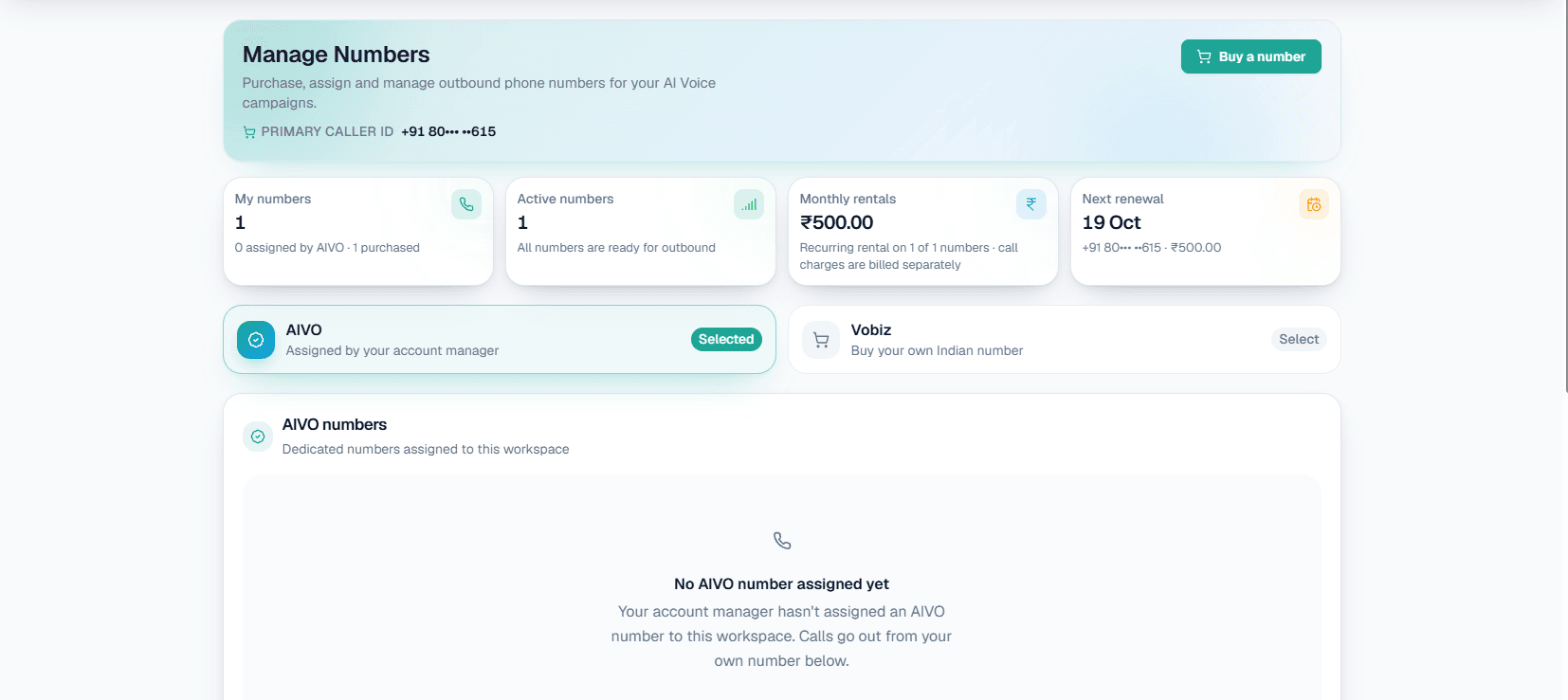
Numbers and caller ID
Your business numbers are the lines your AI calls go out from and, for numbers you buy, the lines customers can ring to reach your AI.
Where your numbers live
Open Phone system → Manage Numbers. The page has two tabs:
| Tab | What it holds |
|---|---|
| AIVO | Numbers assigned to your workspace by your account manager |
| Vobiz | Indian numbers you buy yourself, in the app |
Your numbers appear under My Numbers, with a badge showing where each one came from. One of them is marked Primary. From the page you can also see each number's usage, the campaigns assigned to it and, for bought numbers, the purchase and renewal history.
Caller ID
- Live calls go out from the caller ID you choose.
- Test calls use the default trunk number.
You pick the caller ID per campaign, from your available numbers, in the Caller ID (assigned number) field on the campaign form. See Campaigns.
Numbers assigned by MySA (AIVO)
Production numbers on the AIVO tab are assigned by the MySA team. To get one, contact support or your account manager. See Getting help.
Buying your own number (Vobiz)
Some workspaces can buy an Indian number directly in the app. This is a premium feature:
- It is enabled per workspace and is being rolled out gradually. If you do not see Buy a number, raise a support ticket.
- It works only in the Live workspace.
- Only the workspace Owner can use it.
A number you buy can also answer calls with your AI. See Inbound calls.
Complete KYC first
India requires KYC before any number purchase: Aadhaar or PAN for individuals, or PAN and GST for companies.
- On Manage Numbers, choose the Vobiz tab.
- Click Complete KYC. Verification happens on Vobiz's own secure page in a new tab and takes about two minutes.
- Come back to MySA. The status refreshes on its own, or click Refresh.
MySA stores only your verification status, never your documents or ID numbers. You need money in your Live wallet before you can start KYC, because a number is charged to it.
Buy a number
- Under Buy a number, search by digits, for example an STD code such as 040.
- Click Buy on the number you want. The button shows its monthly fee.
- Check the confirmation. It shows the setup fee plus the first month's fee; that total is charged to your Live wallet. Press Buy number to confirm.
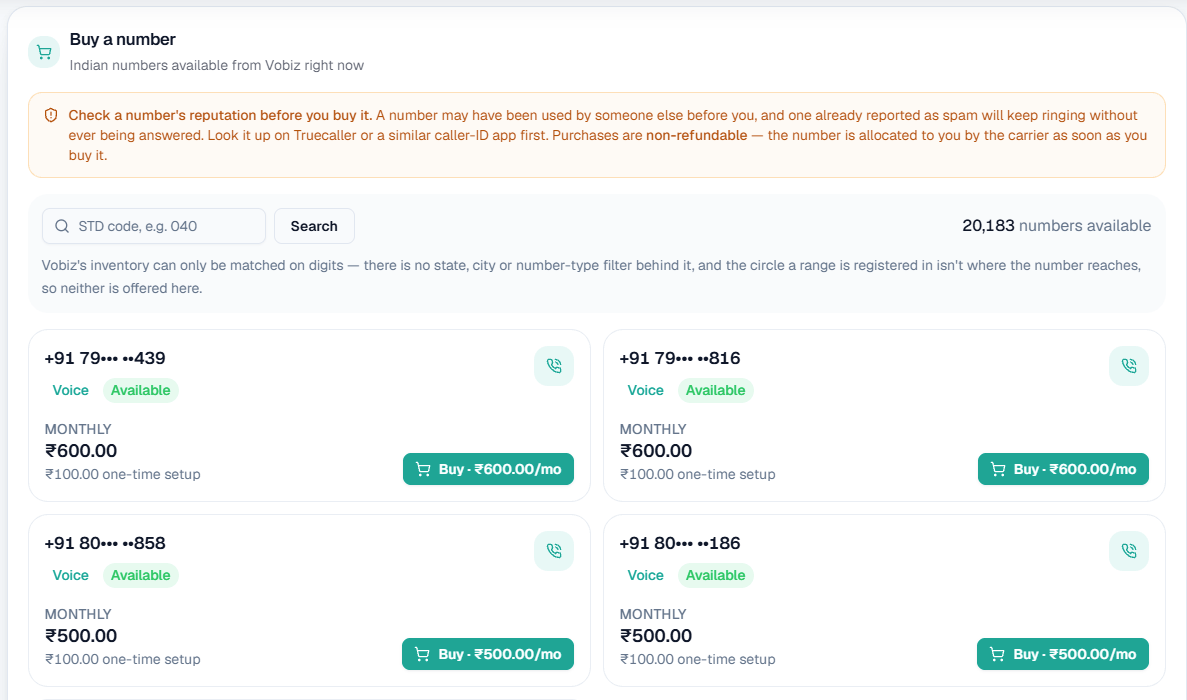
On this screen: the reputation warning at the top, a search box that matches on digits (an STD code such as 040), and how many numbers are available. Each card shows a number, that it supports Voice and is Available, its Monthly fee and one-time setup fee, and a Buy button with the monthly price.
If your balance is too low, the purchase is blocked and you are asked to top up. The new number then appears under My Numbers with a Vobiz badge.
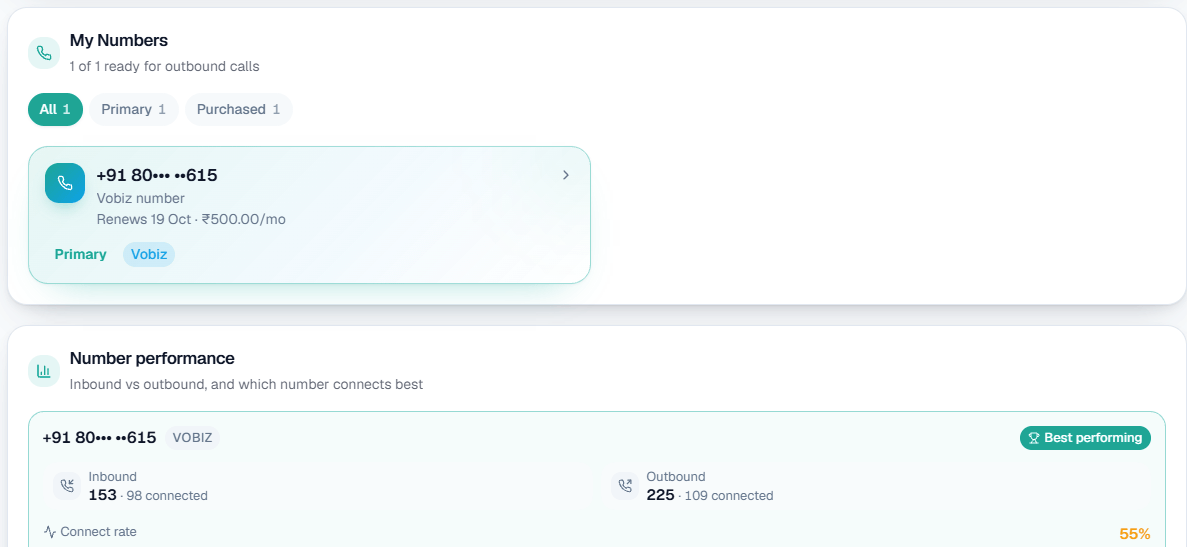
On this screen: My Numbers lists the numbers ready for outbound calls, filtered by All, Primary and Purchased. Each shows its source (Vobiz), whether it is your Primary caller ID, and when it renews and for how much. Number performance below compares inbound and outbound calls per number and marks the one that connects best.
Warning: Check a number's reputation before you buy it. A number may have been used by someone else, and one already reported as spam will keep ringing without being answered. Look it up on Truecaller or a similar app first. Purchases are non-refundable once the number is allocated to you.
Availability
Each Vobiz number belongs to one business at a time. If a number is not available, another business already owns it. If you see "purchase in progress", someone is buying it at that moment; wait a few seconds and refresh. You are charged only once the number is confirmed available, and if the purchase fails your wallet is refunded automatically.
Renewal and release
A Vobiz number renews automatically every month from your Live wallet.
- You get an email reminder a few days before each renewal, and an email for every renewal event: a successful charge, a failed charge or a release.
- If your balance is too low on the renewal date, the number enters a short grace period. Top up before it ends and the charge is retried automatically.
- If the grace period passes with the wallet still short, the number is released and stops working for calls. To replace it, you buy a new number.
A released number goes back on sale and can be bought by anyone, including you.