

Results
Campaign analytics
See how your outbound campaigns are running — calls, people reached, success, spend — and download a report for any campaign.
Open it
Go to Calling → Campaigns Analytics. At the top right, pick All campaigns or one campaign, and a date range such as Last 7 days. Every figure on the page follows those two choices. All campaigns ↗ opens the campaign Queue.
The headline numbers
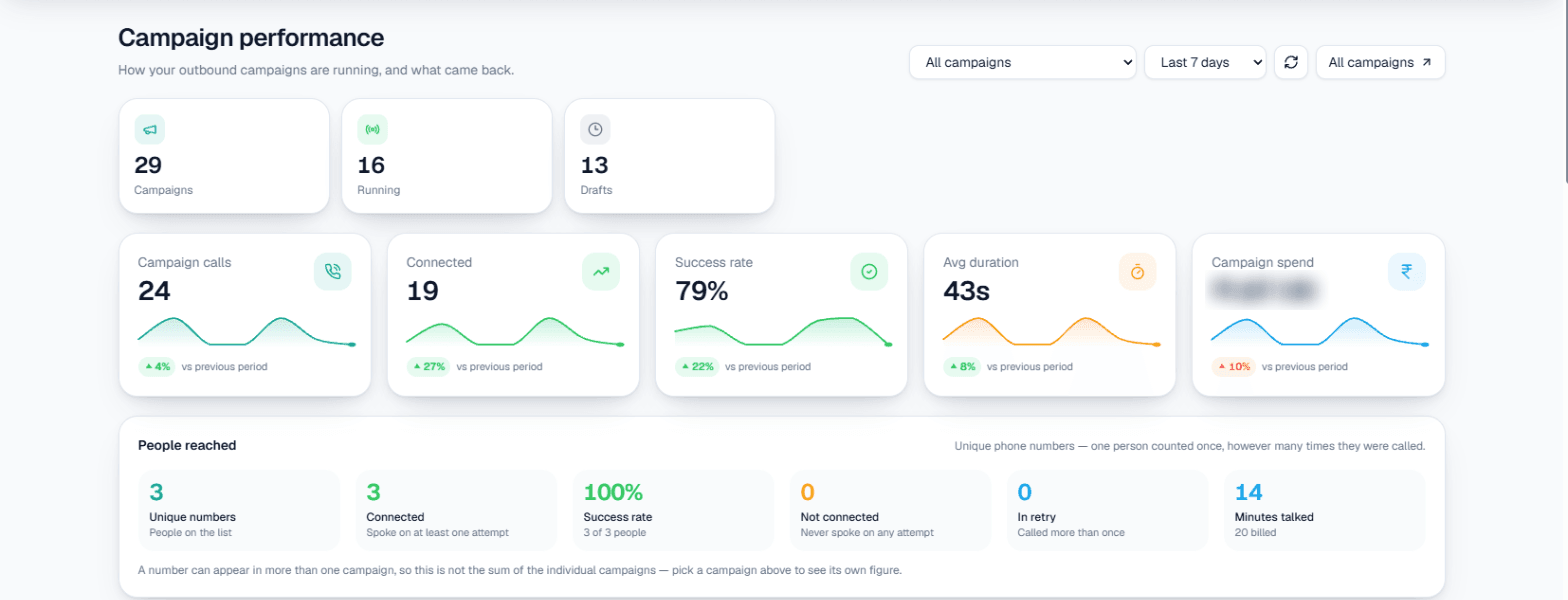
On this screen: the first row counts your Campaigns, how many are Running and how many are Drafts. The second row is the calls in the range — Campaign calls, Connected, Success rate, Avg duration and Campaign spend — each with a small trend line and its change against the previous period of the same length.
People reached
Calls and people are not the same thing: one customer can be called several times. People reached counts unique phone numbers, so each person is counted once:
| Figure | Meaning |
|---|---|
| Unique numbers | People on the lists |
| Connected | People who spoke on at least one attempt |
| Success rate | Connected people out of unique numbers |
| Not connected | People who never spoke on any attempt |
| In retry | People called more than once |
| Minutes talked | Talk time, with billed minutes underneath |
Note: A number can be in more than one campaign, so with All campaigns selected this is not the sum of the individual campaigns. Pick one campaign to see its own figure.
Talked vs billed, and did the call do its job
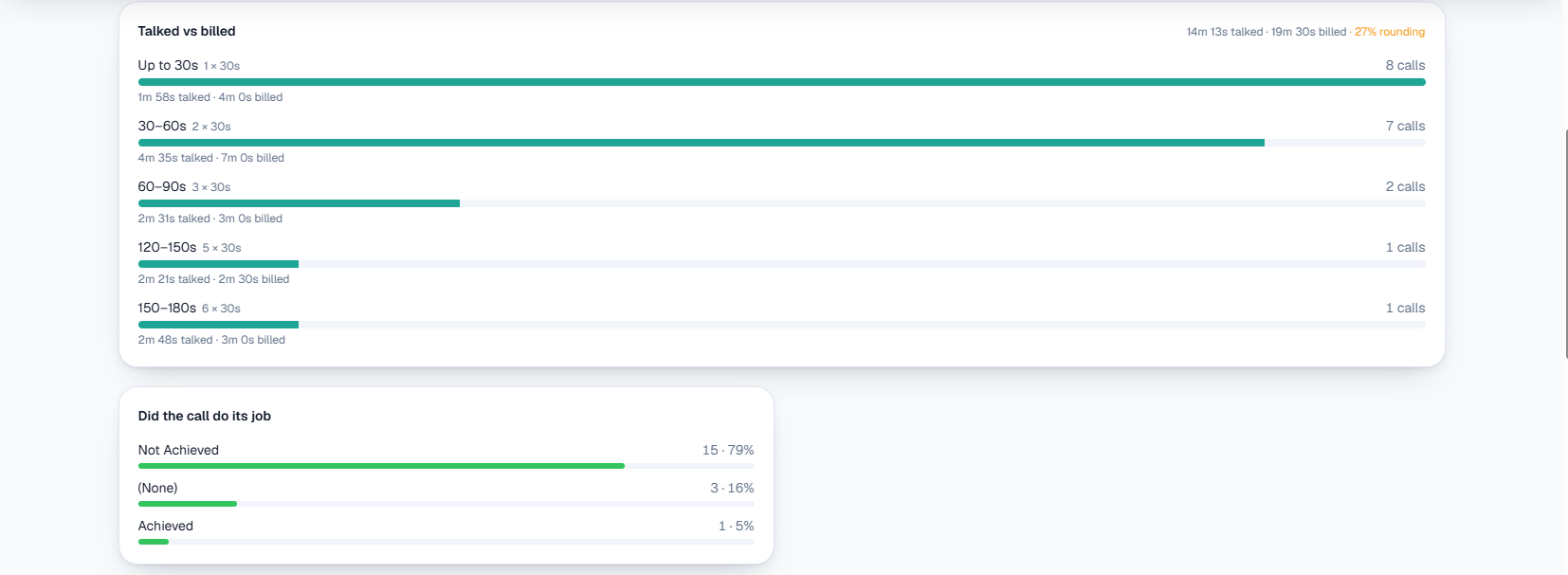
On this screen: Talked vs billed groups calls by length and shows, for each band, how long people actually talked against how much was billed — billing rounds up to whole units, and the top right shows the total and how much of it is rounding. Did the call do its job splits calls by whether the purpose's goal was Achieved, Not Achieved or not judged ((None)).
Trends and breakdowns
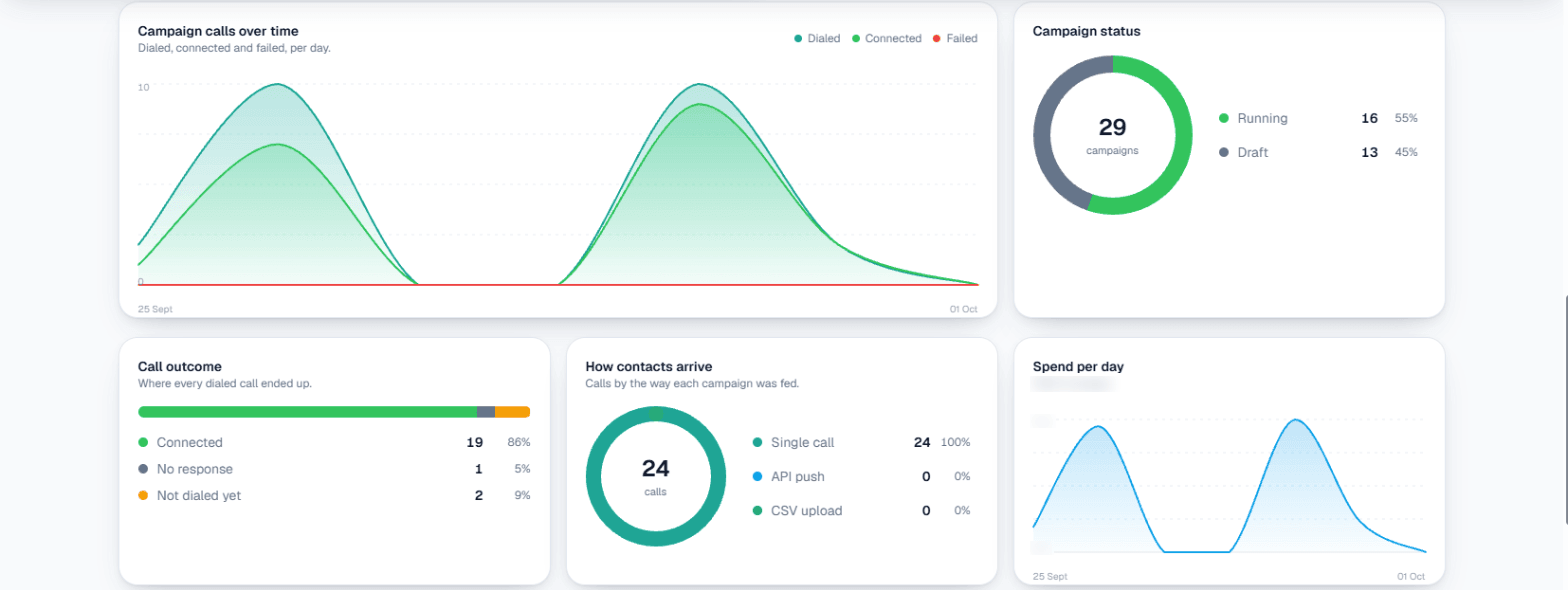
On this screen:
- Campaign calls over time — dialled, connected and failed calls per day.
- Campaign status — how many campaigns are running and how many are drafts.
- Call outcome — where every dialled call ended up: connected, no response, or not dialled yet.
- How contacts arrive — calls by campaign type: single call, API push or CSV upload.
- Spend per day — wallet spend on campaign calls each day, with the daily average.
What stands out, and every campaign
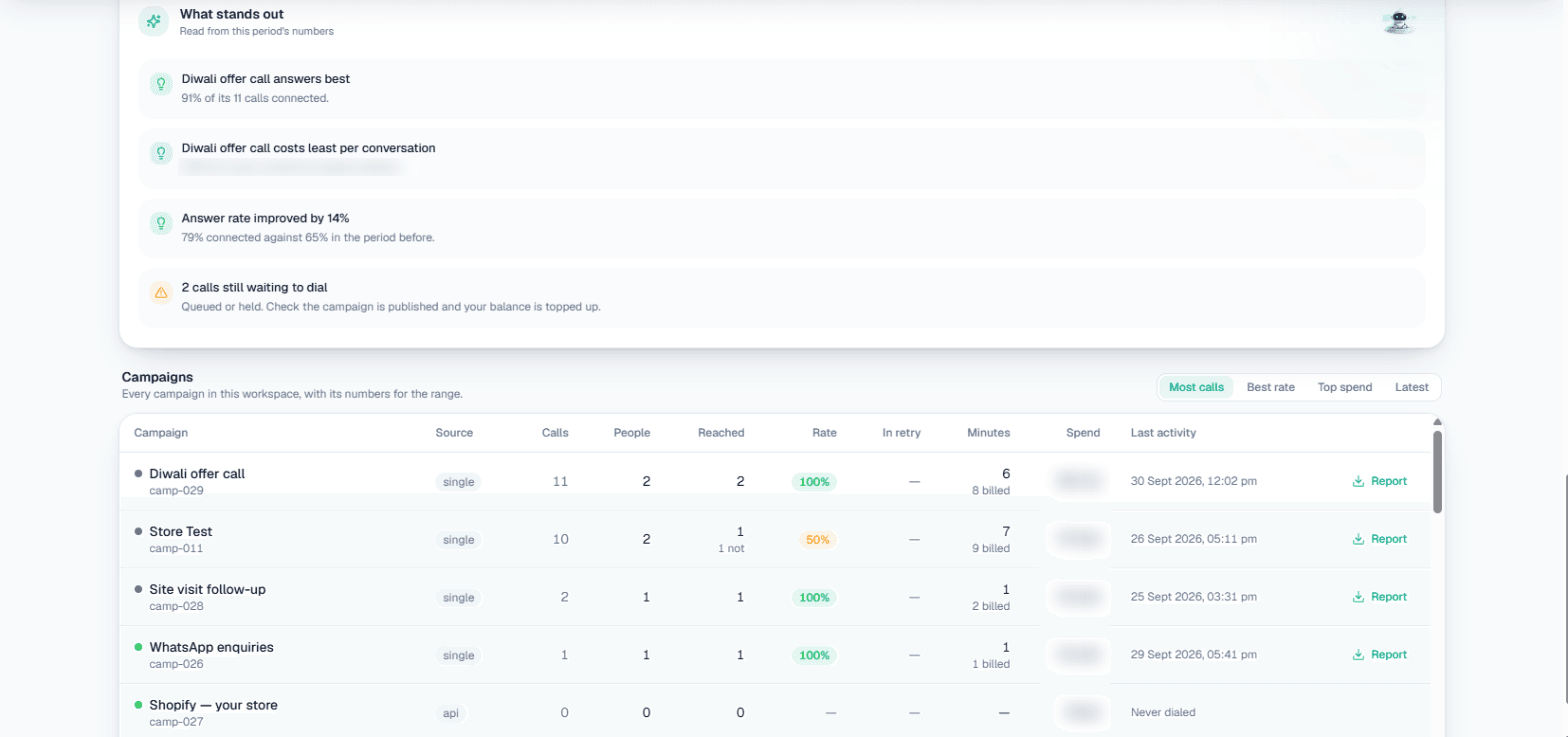
On this screen: What stands out reads the period's numbers for you — which campaign answers best, which costs least per conversation, whether the answer rate improved, and warnings such as calls still waiting to dial. The Campaigns table lists every campaign with its source, calls, people, how many were reached, success rate, people in retry, minutes (with billed minutes), spend and last activity. Sort it by Most calls, Best rate, Top spend or Latest.
Download a campaign report
Press Report on a campaign's row to download its calls as a CSV — one call per row with status, outcome, duration, sentiment, cost and more. Variables the campaign used become extra columns. The file covers the date range selected on the page.
For every call across all campaigns and inbound, use the Detailed Report.
Related
- Campaigns — create, test and run a campaign.
- Call logs & recordings — listen to any single call.
- Wallet & pricing — how calls are billed.