In the WhatsApp vs Instagram vs Facebook automation question, the honest answer is that each channel catches customers at a different moment, so the right setup depends on where your enquiries already come from. WhatsApp is where people who already have your number write and call; Instagram is where people discover you through posts and reels; Facebook adds Messenger, Page comments and Lead Ads forms. With MySA Business one AI, answering from the same Business Details, can work on all three, and each channel can lead to a phone call.
Here is how they really differ, and the workflows that exist today.
How customers arrive on each channel
- WhatsApp. The customer already has your number: from a visiting card, a Google listing, a signboard or a past order. They message or call directly. Intent is usually high.
- Instagram. The customer found you through a post, reel or story. They comment publicly or send a DM. Intent ranges from browsing to ready-to-buy.
- Facebook. Customers message your Page on Messenger, comment on Page posts, or fill a Lead Ads form, which gives you a name and number with no conversation at all.
WhatsApp vs Instagram vs Facebook automation: the real differences
| How you connect | Your number, by pairing code or QR via Linked Devices | Business account, via Facebook Login | Page, via Facebook Login |
| AI replies to messages | Yes, in the customer's language | Yes, DMs | Yes, Messenger |
| Comment replies and comment-to-DM | Not applicable | Yes, four modes plus keyword rules | Yes, on Page posts |
| Meta's 24-hour reply window | Replies go to customers who message your linked number | Applies to replies and templates | Applies to replies and templates |
| Missed-call text-back | Yes, for callers who have messaged you before | No | No |
| Keyword message triggers an AI call | Yes, Keyword Auto-Call | No | No |
| Intent-based AI call (when the customer agrees) | Yes | Yes | Yes |
| Live data from your own API in replies | Yes | Yes | Yes |
| Rich templates with buttons | Broadcasts use approved WhatsApp templates | Cards and carousels | Cards and carousels |
| Ad form leads called by AI | No | No | Lead Ads via a webhook campaign |
| Team inbox | Yes | Yes | Yes |
A few points from the table are worth spelling out.
The 24-hour window. On Instagram and Facebook, Meta allows a reply only within 24 hours of the customer's last message, and one private message per comment. The AI's first answers have to be good, because you cannot come back next week with a reminder.
Comment-to-DM is an Instagram and Facebook feature. A comment asking a real question can get a private DM written by the AI, or a keyword such as PRICE can send a template. Details are on Instagram comment to DM automation.
Calls from WhatsApp go further. The AI cannot pick up a WhatsApp voice call, but a missed call can get a text back and an optional AI voice callback, and a message containing a keyword you chose can be answered with an AI call. See WhatsApp Smart Reply.
Lead Ads belong to Facebook. A Lead Ads form fill is posted to a MySA webhook, and a webhook campaign calls the new lead, usually within a minute.
What is the same on all three
- Answers come from the Business Details you approved, in the language the customer writes in.
- Intent-based calling (Call when the customer agrees): the AI spots a real prospect, asks once whether your team may call, and on a yes places an AI call with a chat summary. At most one such call a day goes to the same number across WhatsApp, Instagram and Facebook together.
- Every conversation is in an inbox where your team can reply by hand. There is no automatic AI-to-human hand-over in chats.
- Calls respect your DND hours and your wallet balance.
Cross-channel workflows that exist today
1. Instagram DM → lead captured → call on consent. A customer DMs about a product. From their second message on, when they ask about price or availability, the AI asks once for a name and mobile number and saves it as a lead. With call-on-consent on, it then asks whether your team may call, and an AI call follows on a yes. See Instagram DM automation.
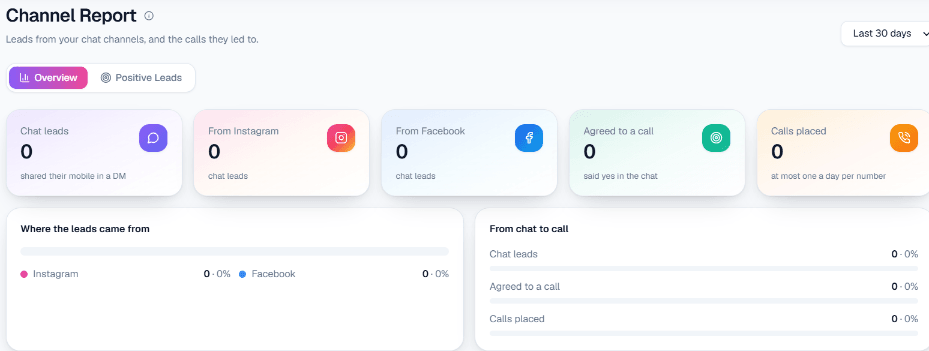
2. Messenger → lead capture. The same lead capture runs on Messenger, and leads from both Instagram and Facebook appear together on Positive Leads and in the Channel Report. See Facebook Messenger automation.
3. WhatsApp → smart reply → call on consent or keyword call. The AI answers the chat. If the message contains a keyword like book, Keyword Auto-Call rings the customer instead, within the gap and daily cap you set. Otherwise, call-on-consent can offer a call once the customer sounds ready.
4. Incoming call → AI → follow-up or appointment. A customer calls your business number and the AI answers through inbound calls. If they say "call me tomorrow", a follow-up call is scheduled for that time. If you use Appointments, the AI can book a slot on the call, and the customer receives WhatsApp messages for the confirmation, a reminder three hours before, and any change or cancellation.
What is not available
Being clear saves you setup time:
- No drip or reminder sequences on Instagram or Facebook DMs.
- No automatic hand-over from the AI to a person in chats; your team joins from the inbox.
- No email or SMS to customers.
- No replies on Instagram or Facebook after Meta's 24-hour window.
- The AI cannot listen to WhatsApp voice notes or answer WhatsApp voice calls.
Which channel should you automate first?
Start where your enquiries already land. If most customers message or call your number, begin with WhatsApp. If your reels and posts bring comments you cannot keep up with, start with Instagram. If you run Lead Ads, connect Facebook and a webhook campaign so form fills get called while they are fresh. Because all three share one set of Business Details, adding the next channel later is mostly connecting it. Before you add AI calling to any of them, the checklist in how to choose AI calling software is worth a read.