Facebook Messenger automation in Mumbai is for businesses whose Facebook Page brings in enquiries faster than anyone can answer them. With MySA Business, an AI replies to Messenger chats and Page comments from your approved Business Details, saves interested customers as leads, and, through a webhook campaign, calls each new Facebook Lead Ads lead with an AI voice assistant, usually within a minute of the form being filled.
Three ways Facebook sends you leads
Most businesses think of Facebook as one channel. In practice it is three, and each needs a different response:
- Messenger conversations. Someone taps "Send message" on your Page or ad and asks a question.
- Comments on Page posts. "Rate?" or "Which area?" written in public, under a post.
- Lead Ads form fills. A name and mobile number submitted through an ad's instant form, with no conversation at all.
Messenger and comments need an answer. A Lead Ads form fill needs a call, quickly, before the person forgets which ad they responded to.
Facebook Messenger automation in Mumbai: what the AI handles
You connect the Page with Facebook Login, choose the Page, and pick the Business Details category the AI answers from. From then on:
- Messenger replies come from your Business Details, in the language the customer writes in: English, Hindi, Marathi, Gujarati, Hinglish or another. The AI answers only from what you approved.
- Reply timing can be immediate, or a wait of 5, 10, 15 or a custom number of seconds (up to 30) to merge a burst of messages.
- Page comments can be answered in one of four modes: Off, Public reply, Private reply by Messenger, or Hybrid. Only real questions get a reply.
- Templates such as a card or a carousel with Link, Call and WhatsApp buttons can go out on a keyword, a comment keyword, or when the AI picks one.
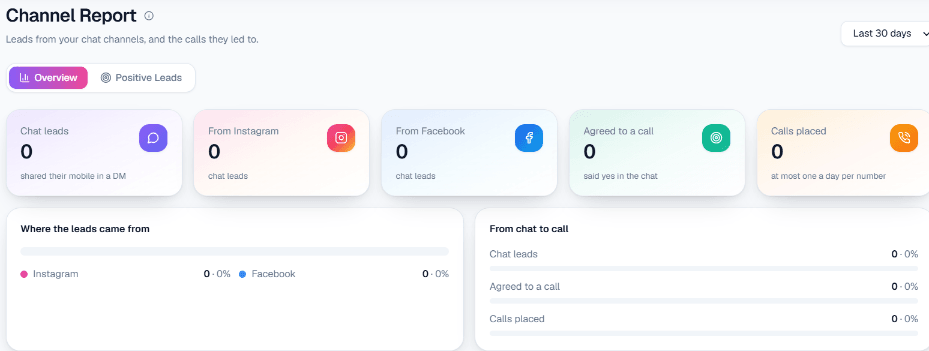
- Lead capture. From the second message on, when a customer asks about price, booking, availability or a visit, the AI asks once for a name and mobile number. Every Indian mobile number written in the chat is saved on Positive Leads.
Everything happens inside Meta's 24-hour window: a reply can only go out within 24 hours of the customer's last message. The settings are listed on Facebook Messenger automation.
Calling Lead Ads leads within about a minute
Lead Ads leads do not arrive as chats, so they are handled by a webhook campaign:
- Create a webhook in MySA and have your ad setup, or a connector, post each new lead to its URL.
- Map the fields once from the first lead that arrives: which one is the mobile, which is the name. No code.
- Attach a webhook campaign with the AI assistant, the call purpose and the call language.
Each new lead is then called as soon as it arrives, usually within a minute. You set a cap on calls per customer per day and a minimum gap between calls, and your DND hours and wallet balance apply. Calls that did their job appear as Positive Leads and can be delivered to email, a Google Sheet, a webhook or an API through AI lead qualification.
Mumbai businesses that tend to fit
Mumbai is known as India's financial and entertainment capital, with a large property market and a dense mix of services. These are scenarios, not named customers:
- Real estate and brokers. Lead Ads for new projects bring form fills at all hours. An AI call asks about budget, configuration and preferred location, and offers a site visit. See real estate AI calling.
- Home interiors and renovation. Messenger enquiries about modular kitchens or full-flat work get a first answer from your price ranges, and interested customers can agree to a call.
- Coaching and professional courses. Comments asking "batch kab start hoga?" get a private Messenger reply with the schedule.
- Clinics and wellness centres. Page messages about timings and consultation fees are answered at night, and leads are waiting for the front desk in the morning.
An example Lead Ads call
Example
A form fill arrives at 9:40 pm from a "2 BHK near the station" property ad. The webhook campaign dials within about a minute, in Hinglish.
AI: Namaste Rohan ji, aapne abhi humare 2 BHK project ke ad par details bheji thi. Kya abhi do minute baat ho sakti hai?
Rohan: Haan, bataiye. Budget thoda tight hai.
AI: Samajh gaya. Aap ready-to-move dekh rahe hain ya under-construction bhi chalega?
Rohan: Under-construction chalega. Weekend pe site dekh sakta hoon.
The call ends with a summary, recording, sentiment and tags. The visit mention can be confirmed by a reminder call on the day.
Your team stays in the loop
Every Messenger conversation is in the live inbox, and anyone with access can reply by hand at any time. There is no automatic escalation: the AI does not hand a chat to a person on its own. When a chat needs a human voice, intent-based calling is the path (Call when the customer agrees in the console): after a customer shares a number, the AI asks whether your team may call, and on a yes an AI call goes out in their language with a summary of the chat. At most one such call a day goes to the same number across Facebook, Instagram and WhatsApp.
On calls, if a caller asks for a person, call transfer can ring a colleague, brief them, and connect the customer.
Live data from your own systems
Prices, stock and slots change every day. If your workspace has Custom APIs switched on, you can tick your own APIs under Live data in replies, and the AI fetches the current answer — today's rate, an order's status, what is in stock — before it replies, instead of quoting a number from last week. An API that needs the customer's mobile number is skipped in Messenger, because a chat does not carry one. The same APIs can feed your AI calls, before the call or in the middle of it; see the Custom APIs docs.
What works today, and what it does not do
| Works today | Does not do |
|---|---|
| AI replies to Messenger and real-question Page comments | Reply after Meta's 24-hour window |
| Lead Ads leads called by a webhook campaign, usually within a minute | Run drip or reminder sequences on Messenger |
| Lead capture and intent-based calling | Send email or SMS to the lead |
| Live inbox for manual replies | Hand a chat to a person automatically |
Getting started
Sign up, verify your mobile to get ₹100 of Test credit in the separate Test workspace, and add your Business Details. Connect your Page, message it from a personal account, then submit your own Lead Ads test lead and take the AI call yourself. Marathi, Hindi, Gujarati and English can each be chosen as the call language, so try the ones your customers use on a test call before going live. For outbound and inbound calling in the city, see AI calling software in Mumbai.