
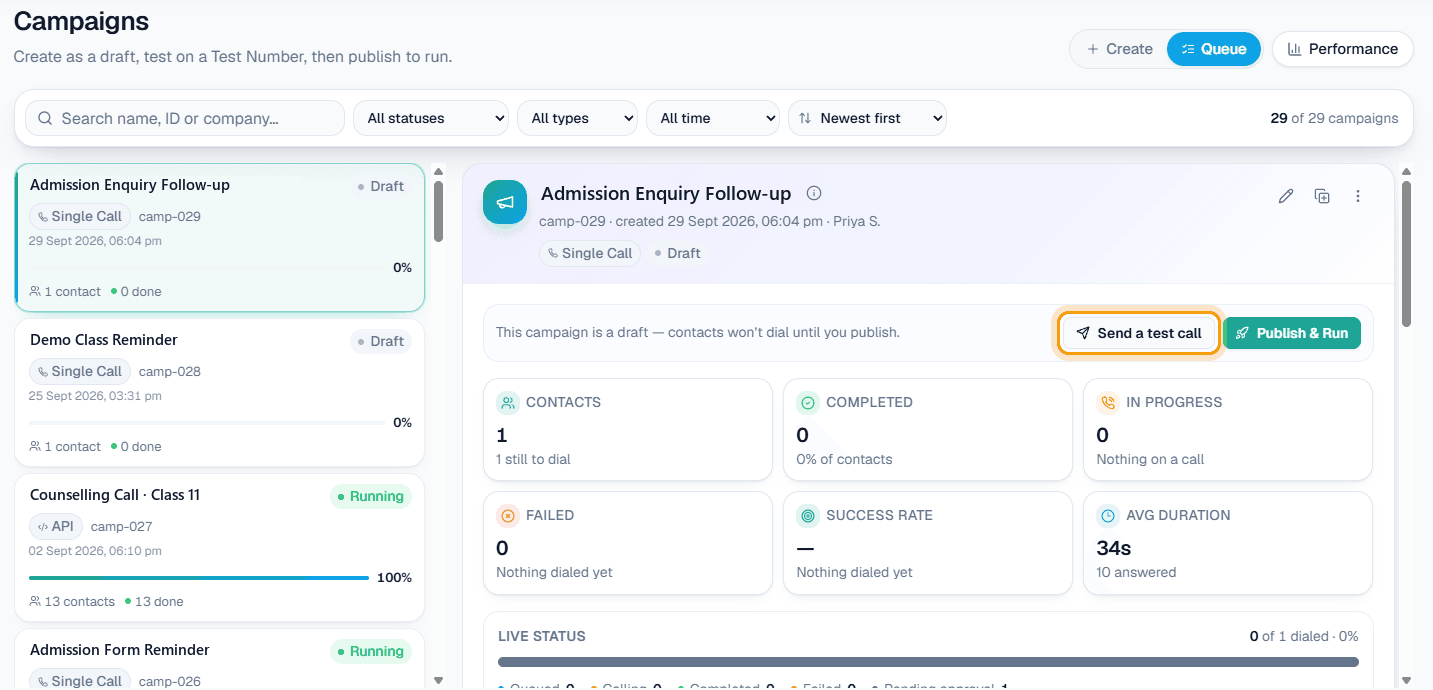
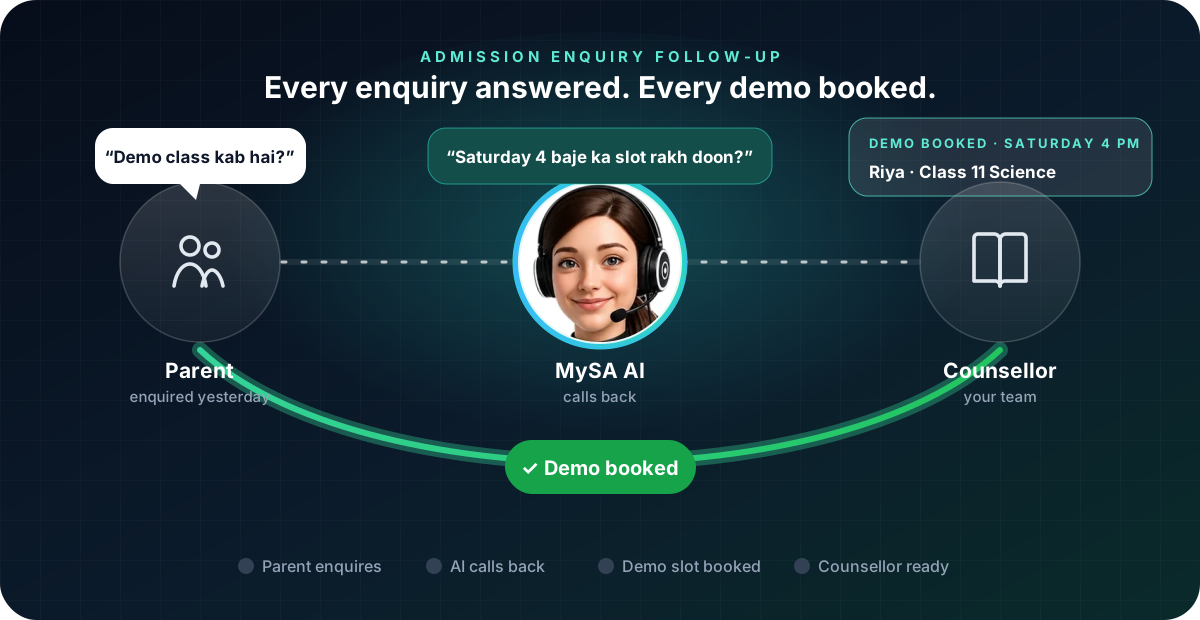
Admission enquiry follow-up means calling back every parent or student who asked about a course, answering the first questions, and moving them to the next step: a demo class, a campus visit or a call with a counsellor. With MySA Business, an AI voice assistant calls new enquiries from your institute's number, answers from details you approved, books a demo class on the call if you set that up, and calls back the families who said "baad mein". Your counsellors spend their time on the serious ones.
Why admission enquiries go cold
An enquiry is warm for a short time. A parent fills a form on Sunday night, compares three institutes on Monday, and decides by Wednesday. The ones who heard back first, with clear answers, usually get the visit.
For most coaching institutes and schools, the problem is not interest. It is capacity:
- Too many enquiries at once. Ads, a website form, WhatsApp and walk-ins all arrive in the same weeks before your admission season.
- The same questions every time. Fees, batch timings, faculty, a demo class, the distance from home.
- Call-backs that slip. "Papa se baat karke batate hain" turns into a forgotten note on a counsellor's desk.
The specific setup for coaching is on our coaching lead automation page. This guide is about the follow-up itself.
Call every new enquiry within a minute
If your enquiries come from a website form or an ad platform, connect them through a webhook. A Webhook campaign then calls each new enquiry as soon as it arrives, usually within a minute. Max calls to one customer / day and Minimum gap between calls stop a family being called too often.
For enquiries you already have in a sheet, such as last month's walk-ins, upload the list as a campaign. Columns named var1 to var15 let each call carry its own details: with a purpose like "{var1} ke liye {var2} batch ke baare mein call kar rahe hain", var1 can be the student's name and var2 the course. Calls never go out inside your DND hours; they wait until the window opens.
Book the demo class on the call
Appointments lets the AI book a slot during the call, from times that are actually free. For an institute, pick Something else as the kind of business, make "Demo class" a service with its length, and make each counsellor or classroom a seat. With AI books on calls ticked, the AI offers free times, books one once the parent picks it and gives a name, and the parent gets a WhatsApp confirmation. The full setup is in AI appointment booking.
Example
Parent: Haan ji, beta ka Class 11 science ke liye poochna tha. Demo kab hai?
AI: Namaste. Demo class Saturday ko 4 baje aur Sunday ko 11 baje hai. Aapke liye kaunsa theek rahega?
Parent: Saturday 4 baje. Naam Riya likh dijiye.
AI: Ho gaya, Riya ka demo Saturday 4 baje book hai. Confirmation WhatsApp par aa jayega.
The institute and the student are made up. The booking appears on your calendar straight away, and the call is in Call Logs with its recording, AI summary and sentiment.
When a parent says "papa se poochke batate hain"
Admission decisions are family decisions, so "later" is common:
- A call-back request. "Kal shaam ko call karna" becomes a follow-up in Follow-ups for that time, in the same language. With Auto-callback on, the AI calls then. More in how to handle "call me later".
- A plan to visit. "Saturday ko campus aayenge" is noted from the call, and with Visit reminders switched on, MySA rings on the day to confirm. See Visit reminders.
- A question the AI cannot answer. A scholarship case or a fee exception becomes Action required; you type the answer once and the AI calls back with it.
- "Counsellor se baat karni hai". With Call transfer set up, the AI rings the counsellor, briefs them on who is calling and what they asked, and connects the call.
Reminders before the batch starts
Families who showed interest but did not decide can be called again on dates you choose. A Scheduled campaign with On dates I pick calls the whole list on each date, for example a week before the batch starts and two days before. Untick Skip people already reached if you want everyone to hear each reminder. Every round has its own report, so you can see how many new people the last reminder reached.
What works today, and what it does not do
| Works today | Does not do |
|---|---|
| New enquiries called within about a minute through a webhook | Promise results, ranks or scholarships you did not write down |
| Demo classes booked on the call with Appointments | Collect fees or take payments on the call |
| Call-backs and visit reminders at the time the family asked | Decide admissions; your counsellors still do |
| Reminder rounds before the batch starts | Send SMS or email |
Getting started
- Create a workspace and verify your mobile number to get ₹100 of Test credit in the separate Test environment.
- Write your Business Details: courses, batch timings, fee structure as you want it quoted, and the demo class process.
- Press Try now so the AI rings your own phone, and ask it what a parent would ask.
- Set up Appointments with "Demo class" as a service, and tick AI books on calls.
- Go Live, top up the prepaid wallet, and connect your enquiry form with a webhook campaign.
Calls of 10 seconds or less are free; longer calls are billed per started minute. The rate for your workspace is shown in the console. Talk to sales for volume pricing.