
Facebook Messenger automation in Hyderabad is most useful for businesses whose answers change by the day: a rate, a stock list, a batch date. With MySA Business, an AI replies to Messenger chats and Page comments from your approved Business Details, can pull today's figure from your own API before it answers, saves interested customers as leads, and calls each new Facebook Lead Ads lead with an AI voice assistant, usually within about a minute.
Where Hyderabad businesses meet customers on Facebook
Hyderabad is known for its IT corridor, its pearls and jewellery trade, its food, and a fast-growing property market on the city's edges. Some scenarios, not named customers:
- Jewellery and pearl showrooms. "Aaj ka 22 carat rate kya hai?" is asked dozens of times a day, and the answer is different every morning.
- Plotted layouts and villa projects. Lead Ads bring form fills from families comparing projects, many of whom want a site visit at the weekend.
- IT training and certification institutes. Ads for cloud, testing or data courses bring "next batch?" comments from students and job seekers.
- Caterers and cloud kitchens. Messenger enquiries for functions, office orders and festival menus need a quick, consistent reply.
Facebook Messenger automation in Hyderabad: the features that matter
Connect the Page with Facebook Login, choose it, and pick the Business Details category for its replies. Facebook is enabled per workspace, with a limit on how many Pages you can connect.
- Messenger AI replies in the customer's language, including Telugu, Urdu, Hindi, English and Hinglish, and only from what you approved.
- Reply timing: instant, or a pause of 5, 10, 15 or custom seconds (30 at most) to merge several short messages.
- Page comment modes: Off, Public reply, Private reply in Messenger, or Hybrid. Comments that ask nothing get no reply.
- Templates: an image, a card, or a carousel with Link, Call and WhatsApp buttons, sent on a keyword, a comment keyword, or when the AI picks one.
- Lead capture: from the second message on, when someone asks about price, booking, availability or a visit, the AI asks once for a name and mobile number. Every Indian mobile number written in a chat becomes a lead.
The overview lives on Facebook Messenger automation.
Live data in replies: why it matters here
If your workspace has Custom APIs enabled, the Owner adds your own API under Integrations → My APIs, and you tick it under Live data in replies on the Page. The AI then fetches the current figure just before it replies.
One limit to know: an API that needs the customer's mobile number is skipped in Messenger, because a Messenger chat does not carry one. A rate API or a stock API works; an "order status for this customer" API is better used on calls. On calls, the same APIs can run before each call or during it (one mode per workspace). The Custom APIs docs cover the setup.
Example: a jewellery chat with today's rate
Example
Saturday morning, Messenger, on a jewellery showroom's Page. The Page has a rate API ticked under Live data in replies.
Customer: Aaj 22 carat ka rate kya hai?
AI: Namaste! Today's 22 carat rate is ₹X,XXX per gram, plus making charges. Are you looking at a particular piece?
(The figure comes live from the showroom's rate API, not from last week's Business Details.)
Customer: Bangles for my sister's wedding. Kitne grams mein milte hain?
AI: Our bangle designs usually range from light daily-wear to heavier bridal sets. If you share your name and mobile number, our team can suggest options for your budget.
Customer: Sana, 97xxxxxx40
AI: Thank you Sana. May our team call you now to go through the designs?
Customer: Ok
An AI call goes out in the language of the chat, carrying a summary: bangles, wedding, asked today's 22 carat rate.
That hand-off is intent-based calling ("Call when the customer agrees" in the console). The AI asks once, only after real buying intent and a shared number. A no is respected. At most one such call a day goes to the same number across Facebook, Instagram and WhatsApp; DND hours and the wallet apply.
Lead Ads for property projects
A plotted-layout ad works best when the form fill is followed by a call while the family is still talking about it. A webhook campaign does that:
- Create a webhook in MySA and have your ad setup or a connector post each new lead to its URL.
- Map the fields once from the first lead, with no code.
- Attach a webhook campaign with the assistant, the purpose (for example: qualify budget and offer a weekend site visit) and the call language.
Each new lead is called as it arrives, usually within about a minute. You set a cap on calls per customer per day and a minimum gap; DND hours hold calls until the window ends, and a low wallet stops calls going out. See real estate AI calling for the call side in more depth.
Staying in control
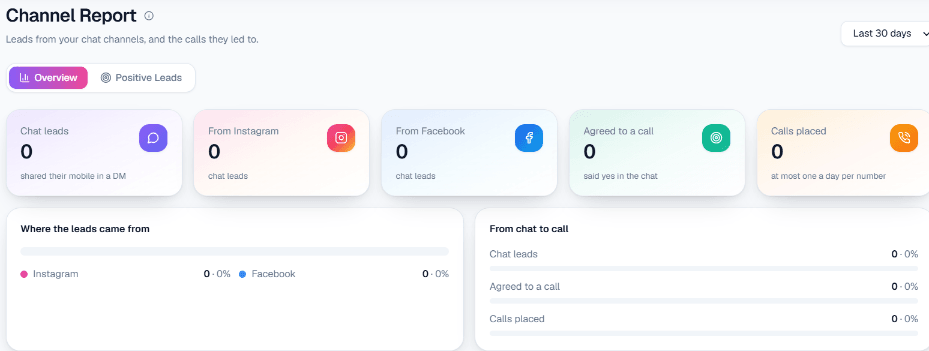
Every chat is in the live inbox, and your staff can reply by hand at any time. The AI does not hand chats to a person by itself. Channel Report shows chat leads, how many came from Facebook, how many agreed to a call and how many calls were placed, for the dates you pick.
What works today, and what it does not do
| Works today | Does not do |
|---|---|
| Messenger replies with live data from your own API | Use an API that needs the customer's mobile inside Messenger |
| Page comment replies in four modes | Reply outside Meta's 24-hour window |
| Lead capture and intent-based calling | Send SMS, email or drip messages |
| Lead Ads leads called within about a minute | Escalate a chat to a person automatically |
Getting started
Sign up, verify your mobile for ₹100 of Test credit in the Test workspace, and add Business Details. Connect your Page, tick any live-data API, and test with a personal account. Send a test lead to the webhook's Test URL and pick up the AI call. Telugu, Urdu, Hindi and English can each be chosen as the call language; listen on a test call before going live. For phone-first workflows, read AI calling software in Hyderabad.