Facebook Messenger automation in Delhi lets a business answer every Page message and comment without someone watching the phone all day. MySA Business replies in Messenger from your approved Business Details, in the language the customer uses, asks interested people for a name and number, and can ring each new Facebook Lead Ads lead with an AI voice call, usually within about a minute.
Delhi businesses that live on Facebook enquiries
Delhi is known for its big wholesale and retail markets, its wedding season and a huge, busy consumer base. Typical scenarios (not named customers):
- Used-car dealers. Every listing ad brings "price final?", "kitne km chali hai?" and "loan milega?" in comments and Messenger.
- Wedding services. Photographers, decorators, mehendi artists and caterers get date-availability questions months ahead, often late at night.
- Furniture and home-decor shops. Buyers ask about sizes, wood types and delivery to Gurugram or Noida.
- AC, appliance and home repair services. Summer brings a rush of "AC service ka charge kya hai?" that no small team can answer one by one.
Facebook Messenger automation in Delhi, piece by piece
Connect the Page with Facebook Login, select it, and choose the Business Details category it should answer from. Facebook is enabled per workspace with a limit on how many Pages you can connect.
Messenger AI replies. The AI answers in Hindi, Hinglish, English, Punjabi or whatever the customer writes in, and only from what you approved. It will not invent a discount or a warranty. Reply timing can be instant or wait 5, 10, 15 or a custom number of seconds, up to 30, so a burst of short messages gets one reply.
Page comment modes. Choose Off, Public reply, Private reply in Messenger, or Hybrid (a short public "details sent in inbox" plus a private message). Comments that do not ask anything are left alone.
Templates. Send an image with text, a card, or a carousel with Link, Call and WhatsApp buttons, triggered by a keyword, a comment keyword, or the AI's own choice.
Lead capture. From the second message on, when someone asks about price, booking, availability or a visit, the AI asks once for a name and mobile number. Every Indian mobile number written in a chat is saved on Positive Leads.
Intent-based calling. Turn on "Call when the customer agrees" and, once a buyer with clear intent shares a number, the AI asks whether your team may call. On a yes, an AI call goes out in their language with a summary of the chat. On a no, it stops offering. At most one such call a day reaches the same number across Facebook, Instagram and WhatsApp.
See Facebook Messenger automation for the overview.
Lead Ads leads, called while they are still warm
A Lead Ads form gives you a name and number but no conversation. That is the job of a webhook campaign:
- Your ad setup, or a connector, posts each new lead to your MySA webhook URL.
- You map the fields once from the first lead that arrives, with no code.
- The webhook campaign then dials each new lead, usually within about a minute, with the assistant, purpose and language you chose.
The guardrails are yours to set: a cap on calls per customer per day, a minimum gap between calls, your DND hours and your wallet balance. A lead that arrives during DND is held and called when the window ends.
Example: a used-car Lead Ad, called back
Example
A form fill comes in at 7:50 pm from an ad for a pre-owned hatchback. The webhook campaign calls within about a minute, in Hinglish.
AI: Namaste Vikram ji, aapne abhi humare hatchback wale ad par form bhara tha. Do minute baat kar sakte hain?
Vikram: Haan. Gaadi abhi available hai?
AI: Ji, abhi tak available hai. Aap khud chalayenge ya family ke liye dekh rahe hain?
Vikram: Family ke liye. Loan ka option hai kya?
AI: Finance options ke baare mein humari team aapko detail mein batayegi. Kya aap Sunday ko showroom aakar test drive le sakte hain?
Vikram: Sunday 11 baje theek hai.
The call is saved with a recording, an AI summary, sentiment and tags. Because Vikram mentioned a visit, a reminder call on the day can confirm it.
If Vikram had asked for the owner, call transfer could ring a colleague, brief them and connect him (transfer minutes are billed separately).
Live data, the inbox and the report
Stock in a used-car lot changes weekly. With Custom APIs switched on for your workspace, you can tick your own API under Live data in replies, so the AI checks whether a car is still listed before it answers. An API that needs the customer's mobile number is skipped in Messenger. See the Custom APIs docs.
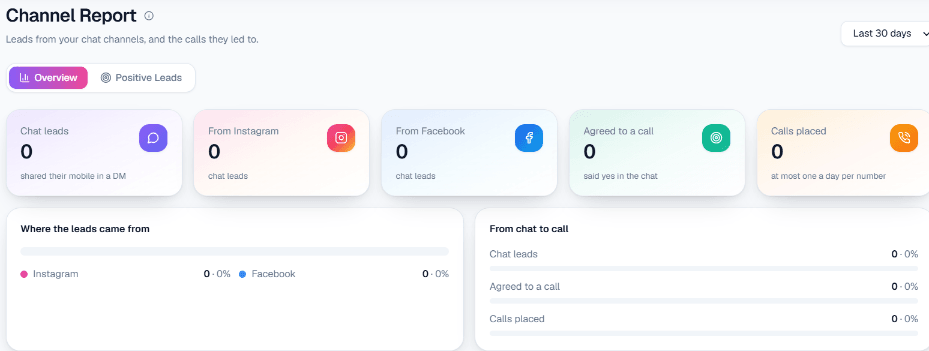
Your team sees every chat in the live inbox and can reply by hand at any time. There is no automatic AI-to-human handover. Channel Report shows chat leads, the Facebook share, how many agreed to a call and how many calls were placed.
What works today, and what it does not do
| Works today | Does not do |
|---|---|
| Messenger and comment replies from your Business Details | Reply more than 24 hours after the customer's last message |
| Lead Ads leads dialled by a webhook campaign in about a minute | Send SMS or email follow-ups |
| One private message per comment, as Meta allows | Run Messenger drip sequences |
| Intent-based calling with a daily limit per number | Pass a chat to a person on its own |
Getting started
Sign up and verify your mobile number to receive ₹100 of Test credit in your Test workspace. Fill in your Business Details, connect the Page, and send it a few messages from a personal profile. Post a sample lead to the webhook's Test URL and answer the AI call yourself. Hindi, Hinglish, English and Punjabi can each be chosen as the call language; hear them on a test call first. For calling beyond Facebook, see AI calling software in Delhi, and check wallet and pricing before you go live.